
I Built a Self-Hosted AI Assistant That Runs Alongside My Home Systems
I named it Tahanan, the Filipino word for home. The name reflects what I wanted it to become: not another website I have to visit, but a quiet and useful part of my existing infrastructure.
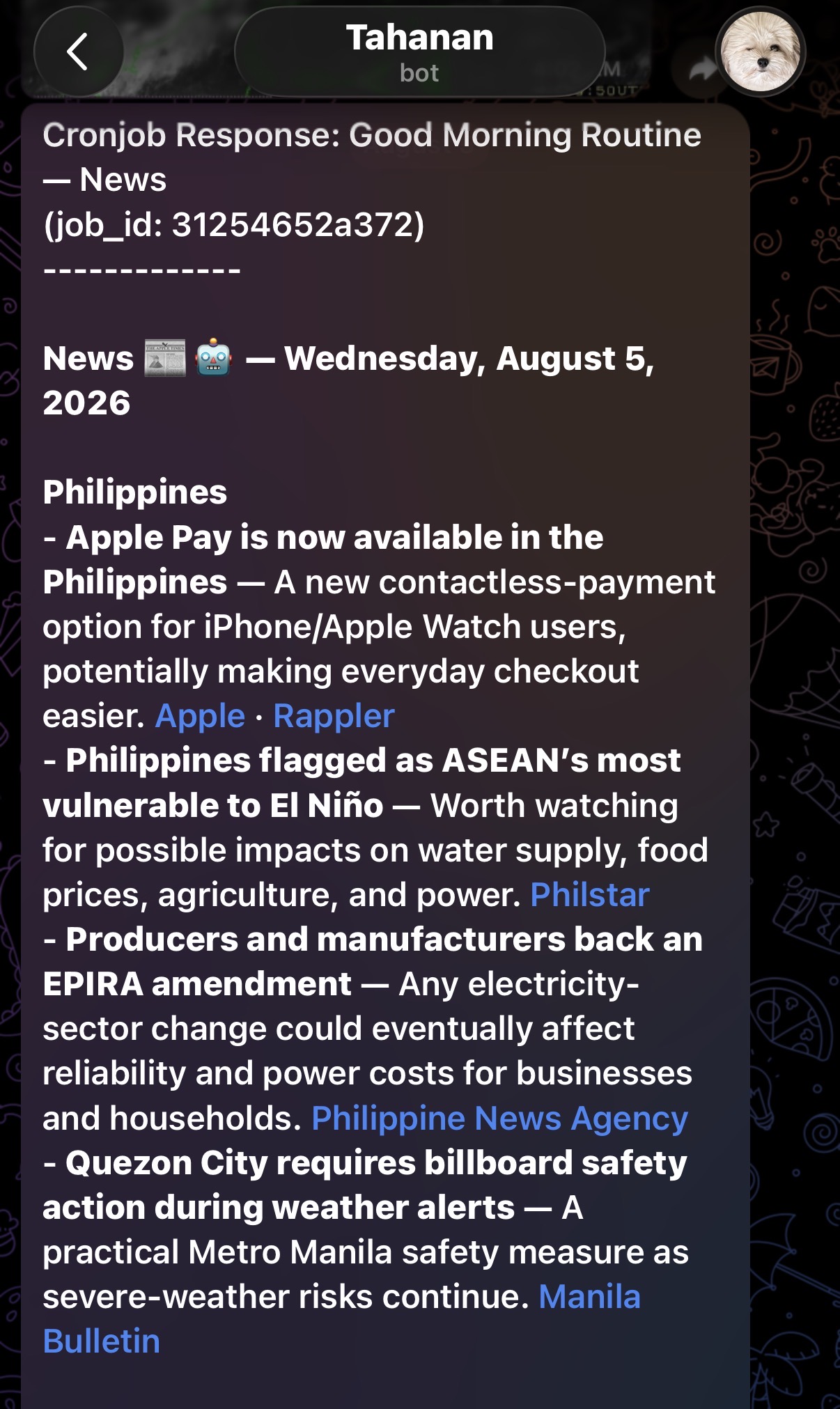
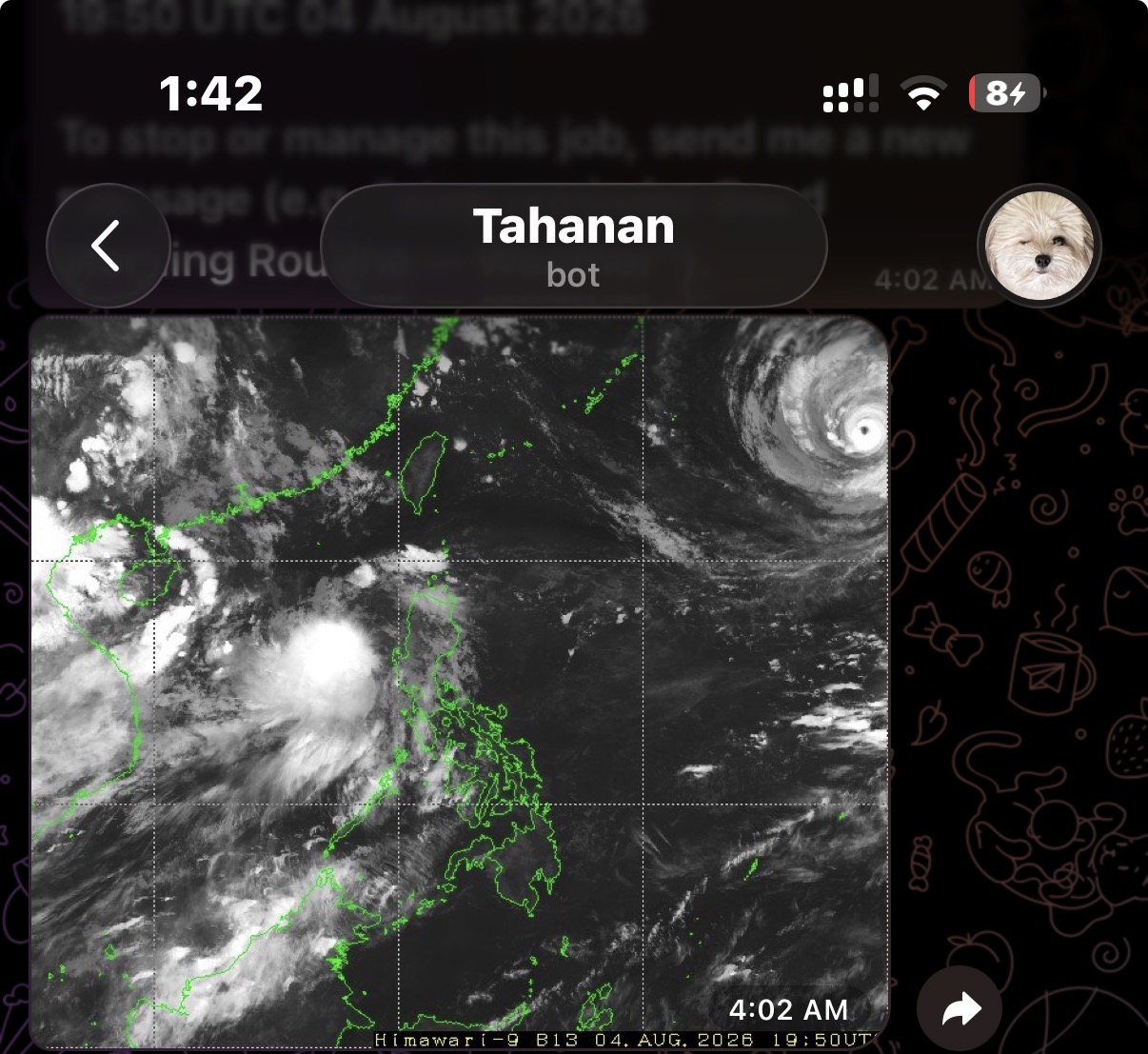
Every morning, it can prepare a briefing using current weather and likely travel conditions. It helps me investigate problems across personal systems, delivers reminders through an app I already use, and supports a small number of carefully controlled routines around my home.
It does more than answer questions, but it does not have unlimited access. That boundary is the point.
Tahanan runs on Hermes Agent, an open-source agent framework from Nous Research. Hermes connects a language model to a controlled set of tools for research, automation, system interaction, memory, scheduled tasks, and delegated work.
The model provides the reasoning. The surrounding system determines what it is actually allowed to do.
Why I Built My Own AI Assistant
This project did not begin because I wanted another chatbot.
I was already using AI regularly, but every conversation started from roughly the same place. I had to explain my preferences again, restate which systems were involved, and repeat the boundaries around sensitive or destructive actions.
That works for occasional questions. It becomes tedious when the assistant is supposed to help with recurring work.
I wanted something with continuity: an assistant that could remember a small number of useful preferences, work through approved tools, and fit into routines I already had.
The goal was not to make it autonomous for the sake of autonomy. I wanted to reduce repetitive work without handing over decisions that still require human judgment.
From Answers to Actions
The practical difference between Tahanan and a normal chat interface is that it can participate in a workflow instead of stopping after a suggestion.
When I ask it to investigate a technical issue, it can collect relevant evidence, help prepare or carry out an approved response, and then check whether the visible result matches what we expected.
That final step matters.
A command returning successfully does not always mean the real problem has been fixed. Services can restart without becoming healthy. An automation can complete while producing the wrong output. Interfaces can change without warning.
For work involving my systems, “done” needs evidence.
Anything destructive, sensitive, or difficult to reverse remains behind an approval gate. Tahanan can gather information and recommend the next step, but it should stop when the situation requires a decision from me.
It can use only the tools I have deliberately enabled. When a tool is unavailable or broken, I would rather have the assistant admit that limitation than confidently invent an answer.
How I Use Tahanan
I started by giving it a few small infrastructure tasks.
Over time, those experiments became a limited operations layer for several personal systems. Tahanan can help detect problems, collect diagnostic information, and support recovery while keeping the underlying network layout and access arrangements private.
The more personal routines came later.
My morning briefing brings together local weather and likely travel conditions. Sometimes it includes a current satellite image when that adds useful context. Reminders arrive through an app I already check, so I do not need to remember another dashboard or install a separate interface for every workflow.
I have also experimented with using the assistant in a sensitive personal routine under close supervision. I am intentionally leaving out the data, devices, and access methods involved.
The useful lesson is not in those implementation details. It is in the boundary I chose: the assistant observes, reports, and stops when the situation becomes unclear.
Personal automation should be boring in the best possible way. It should behave predictably, expose as little as possible, and fail safely.
A few parts of my home environment are connected for routine assistance and maintenance as well. I am leaving out the specific components, layout, and access methods because those details would introduce risk without making this article more useful.
Persistent Memory Changed the Experience
The feature that made Tahanan feel most useful was not automation. It was continuity.
Tahanan keeps a small collection of durable preferences, while older conversations remain searchable when we need the full history. I no longer have to explain the same reporting format every morning or repeatedly state which routines must remain read-only.
It can also preserve a successful procedure as a reusable skill.
When we solve a difficult workflow, the next attempt can begin with the approach that worked instead of replaying every failed experiment. The process becomes cumulative:
I ask for something.
Tahanan gathers evidence.
It carries out the approved work.
We verify the result.
A repeatable procedure can be saved for later.
That does not make the system infallible.
Memories become outdated. Commands can succeed without solving the underlying issue. APIs, interfaces, and system behavior change. Stored procedures can eventually become wrong.
Memory reduces repetition, but verification prevents outdated assumptions from quietly becoming permanent mistakes.
Privacy Is Part of the Architecture
Giving an AI agent access to real systems is the uncomfortable part of building something like this.
That discomfort is useful. It forces me to think about what the assistant genuinely needs rather than what would merely make an impressive demonstration.
Tahanan’s access is intentionally narrow. Sensitive workflows are constrained. Public descriptions leave out personal information and operational details that could reveal how the system is reached or managed.
When something is ambiguous, the assistant should stop and ask rather than improvise.
Persistent memory is selective for the same reason. Information stays only when it has lasting utility and an acceptable privacy cost. The objective is continuity, not comprehensive surveillance of my own life.
These safeguards are imperfect. No permission model, prompt, or approval screen can remove every risk.
They do, however, make Tahanan behave more like a cautious operator and less like an all-access technology demo.
Building an AI Agent Is Mostly Systems Work
The model is only one part of Tahanan.
Building it has involved far more plumbing than prompting: permissions, integrations, scheduling, messaging, reliability, observability, recovery procedures, and a great deal of failure handling.
A clever prompt can produce a convincing answer. It cannot repair a broken integration, enforce access controls, confirm that a service recovered, or decide what should happen when a workflow reaches an unexpected state.
The surrounding engineering is what turns generated text into useful work.
That has changed how I judge AI assistants. The number of features matters less to me now than a few practical questions:
Does the assistant fit naturally into my habits? Does it respect the boundaries around its tools? Can it show evidence that a task actually worked? Does it know when to stop?
I do not want Tahanan making every decision for me. I want it to handle routine work, report what happened, and leave decisions requiring context or judgment to a human.
At this point, it is not an all-knowing digital companion or an autonomous system running my life.
It is simply a useful piece of software with a small, deliberately fenced place in my home.
I am still deciding what else belongs inside that fence.